JavaScript is one of the most important programming languages on the web today. If you’ve ever clicked a button and something changed instantly on a website without reloading the page, JavaScript was most likely behind it.
In this post, you’ll learn what JavaScript is used for, specifically exploring the topic of What Is JavaScript Used For, how it works, and real-life examples of JavaScript on modern websites.
What Is JavaScript?
JavaScript is a programming language used to make websites interactive and dynamic.
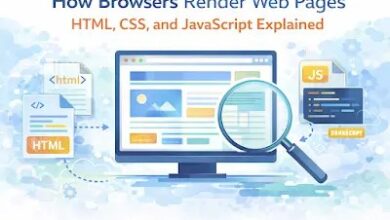
While HTML structures a webpage and CSS styles it, JavaScript adds behavior.
In simple terms:
- HTML = structure

- CSS = design

- JavaScript = actions

What Is JavaScript Used For?
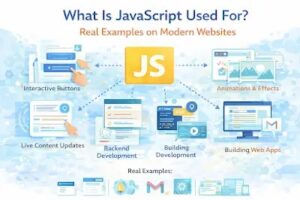
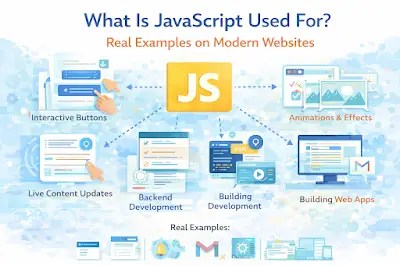
JavaScript is used for many things on websites today. Below are the most common uses, with examples you see every day.
1. Making Websites Interactive
JavaScript allows users to interact with websites without refreshing the page.
Examples:
- Clicking a button to open a menu
- Showing alert messages
- Changing text when you click something
Example: When you see a popup like “Welcome to IncofyBlog!”, that’s JavaScript at work.
2. Form Validation
JavaScript checks user input before it is sent to the server.
Examples:
- Showing an error when an email is invalid
- Preventing empty form submissions
- Displaying password strength
This improves user experience and reduces server load.
3. Dynamic Content Updates (No Page Reload)
Modern websites use JavaScript to update content instantly.
Examples:
- Live search suggestions on Google
- Loading comments without refreshing
- Updating likes and views in real time
This is commonly done using AJAX or Fetch API.
4. Creating Animations and Effects
JavaScript is used to create smooth animations that make websites feel alive.
Examples:
- Sliding menus
- Image sliders
- Fade-in effects when scrolling
Many websites combine JavaScript with CSS animations for better performance.
5. Building Web Applications
JavaScript is not just for small effects — it powers full web apps.
Examples of JavaScript-powered apps:
- Gmail
- Google Docs
- Twitter (X)
Frameworks like React, Vue, and Angular are built with JavaScript.
6. Handling User Events
JavaScript listens for user actions such as:
- Clicks
- Scrolling
- Typing
- Hovering
When an event happens, JavaScript decides what action to perform.
7. Backend Development (Yes, JavaScript Runs on Servers Too)
With Node.js, JavaScript can run on the server.
Examples:
- Building APIs
- Handling databases
- Authenticating users
This means JavaScript can be used for both frontend and backend development.
Real Examples of JavaScript on Modern Websites
Here are things you see daily that rely on JavaScript:
- Dropdown navigation menus
- Dark mode toggle
- Auto-playing videos
- Chat widgets
- Notifications
- Infinite scrolling (like social media feeds)
Without JavaScript, modern websites would feel static and boring.
Is JavaScript Hard to Learn?
JavaScript can feel confusing at first, but it’s one of the most beginner-friendly programming languages.
If you already understand:
- HTML
- CSS
Then learning JavaScript becomes much easier.
Why JavaScript Is Important for Web Developers
JavaScript is important because:
It’s supported by all browsers
It works on frontend and backend
It powers modern web applications
High demand skill worldwide
If you want to become a web developer, JavaScript is not optional — it’s essential.
Conclusion
JavaScript is used to make websites interactive, dynamic, and powerful. From simple button clicks to full web applications, JavaScript plays a major role in how modern websites work.
Whether you’re a beginner or planning to become a developer, understanding JavaScript is a big step forward.